Download Adobe Premiere Pro for Windows – Professional Video Editing at Your Fingertips
Download Adobe Premiere Pro for Windows to experience one of the world’s most powerful non-linear editing systems. Designed for filmmakers, content creators, YouTubers, and video editors at all levels, Adobe Premiere Pro offers everything you need to produce professional-grade videos—from basic cuts and color grading to multi-camera editing and high-resolution exports.
As a flagship application in Adobe’s Creative Cloud suite, Premiere Pro delivers advanced editing tools with seamless integration into a complete ecosystem of design and media production software. Whether you’re editing 4K footage, assembling a social media campaign, or creating cinematic content, this all-in-one solution is trusted across the industry for speed, precision, and versatility.
Why download Adobe Premiere Pro for Windows?
Comprehensive Video Editing for All Skill Levels
When you get Adobe Premiere Pro for Windows, you gain access to a studio-grade editing environment that caters to both beginners and experienced professionals. From the moment you launch the software, you’ll find tools that simplify your workflow while giving you the freedom to customize every step of your production process.
- Edit any video format—HD, 4K, 8K, VR, and even raw footage
- Use drag-and-drop editing for speed or advanced timeline controls for precision
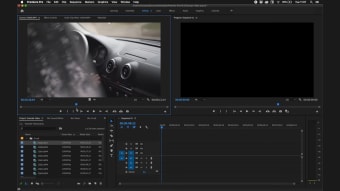
- Access a customizable workspace that adapts to your needs
- Benefit from built-in Motion Graphics templates, auto-transcription, and captioning
Whether you're cutting together a quick reel or managing a full-length documentary, Premiere Pro provides the scalability to handle it all.
Seamless Creative Cloud Integration
Premiere Pro is deeply integrated with other Adobe apps. You can import layered files from Photoshop, add animated titles from After Effects, clean up audio in Audition, and share or publish content using Adobe Media Encoder—all without leaving the Premiere Pro interface. This cross-app workflow helps you stay focused and productive, particularly when working on fast-paced or collaborative projects.
Key Features of Adobe Premiere Pro for Windows
Advanced Timeline Editing
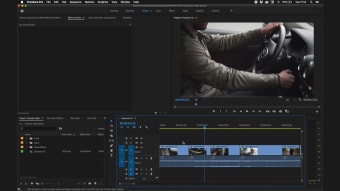
Cut, trim, and rearrange clips with frame-level precision. Use ripple, roll, slip, and slide edits for complete control, and take advantage of multiple video and audio tracks for layered storytelling.
Lumetri Color Panel
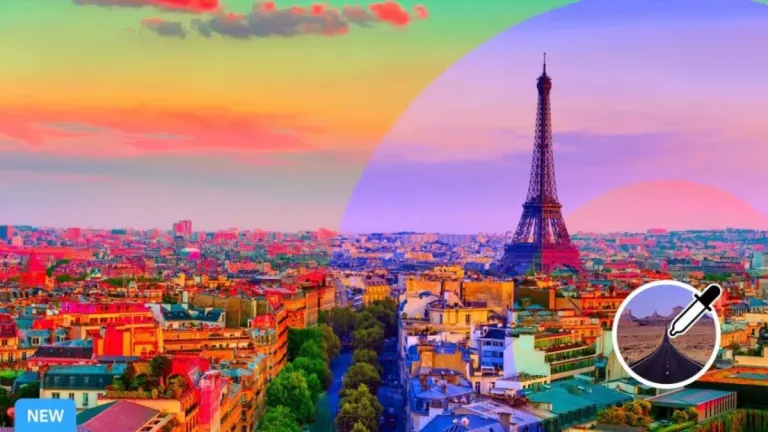
Perform professional color grading with intuitive sliders, scopes, and presets.
Match colors across shots automatically or create stylized looks for mood and tone.
Multi-Cam Editing
Sync footage from multiple cameras, switch angles in real-time, and make changes to camera cuts without disrupting the original sequence.
Motion Graphics Templates
Easily add pre-built animated graphics or create your own custom titles and lower thirds using Adobe After Effects and import them directly into Premiere.
Essential Sound Panel
Balance background music, remove noise, and apply broadcast-standard audio processing—all with simple sliders and presets optimized for speech clarity and consistency.
Proxy Workflow
Edit high-resolution footage on less powerful machines using proxy files. Premiere automatically relinks full-res files for final export.
Export Presets and Social Media Publishing
Use built-in export presets for YouTube, Facebook, and Vimeo, or customize your own. Premiere Pro includes metadata fields and formatting tools optimized for digital platforms.
Compatibility and System Requirements
Adobe Premiere Pro is optimized for 64-bit Windows systems and supports GPU acceleration to ensure real-time playback and fast rendering.
Supported Operating Systems:
- Windows 11
- Windows 10 (64-bit) version 22H2 or later
Minimum System Requirements:
- Processor: Intel 6th Gen or AMD Ryzen 1000 series or later
- RAM: 8 GB (16 GB recommended for HD; 32 GB for 4K)
- GPU: 2 GB VRAM minimum (4 GB or more for 4K+)
- Storage: SSD with at least 8 GB free (additional space recommended)
- Display: 1920 x 1080 resolution or higher
- Internet: Required for activation and cloud syncing
Adobe recommends updating your graphics drivers regularly to take full advantage of GPU acceleration features for rendering, previews, and export.
Availability
Adobe Premiere Pro for Windows is available as part of an Adobe Creative Cloud subscription. You can subscribe to the app on its own or as part of the Creative Cloud All Apps plan, which includes over 20 Adobe tools like Photoshop, Illustrator, After Effects, and Audition.
Plans are available for individuals, students, educators, and teams. All plans come with Adobe Fonts, 100 GB of cloud storage, Adobe Portfolio, and access to the latest updates. A free 7-day trial is available through Softonic, allowing you to explore Premiere Pro’s full capabilities before subscribing.
Why licensed software is always worth it
Using licensed software is important, not just for performance but for keeping your system secure and staying on the right side of the law. Pirated programs—those free downloads that come with cracks or fake serial numbers—might look like a shortcut, but they often skip out on updates and leave your computer exposed to malware. There’s also the risk of legal trouble and unexpected bugs. Sticking with legitimate software, like an official Adobe license, means getting full features, regular updates, and reliable support. Learn more about the risks and benefits of licensed software.
Why Adobe Premiere Pro for Windows is a top choice for video creators
Adobe Premiere Pro for Windows is a powerhouse in the world of video editing. With its flexible interface, deep feature set, and unmatched integration with Creative Cloud apps, it delivers a complete editing experience for professionals and aspiring creators alike.
Its adaptability makes it a favorite in industries ranging from broadcast and film to social media and education. Whether you’re producing weekly content for a brand or building a cinematic short film, Premiere Pro allows you to work faster, smarter, and more creatively.
For a truly complete creative workflow, Adobe offers additional tools that pair seamlessly with Premiere Pro. Adobe Acrobat Reader is ideal for reading, annotating, and reviewing video scripts and production documents in PDF format. Adobe Photoshop gives you full control over creating and editing visual assets, thumbnails, and title graphics. Adobe After Effects lets you create advanced motion graphics and compositing effects that can be imported directly into Premiere timelines for animated titles, VFX, and dynamic transitions.
These tools form a professional-grade ecosystem that supports every phase of the content creation journey. If you're ready to elevate your video editing, download Adobe Premiere Pro and start building your most polished, high-quality projects yet.